Help your students remember the French you teach.
Create classes, assign vocabulary, and give every learner structured practice between lessons - with the full LexiFr mobile experience included, from A1 to C2.
For independent tutors, language schools, universities, and adult or corporate French programs.
Already have a school account?
Sign in to Schools
La réunion
- l'ordre du jour
- convoquer
- reporter
- le compte rendu
- per learner each month, on the School plan at full capacity
- From 2.98 €
- the complete LexiFr app on every learner seat
- A1 to C2
- set up your school yourself - no approval step
- Today
Most vocabulary tools stop at translation.
Learners often memorize translations without understanding usage. French vocabulary is difficult because context, register, nuance, and pronunciation all matter. The right word in a formal email is the wrong word in a café.
LexiFr gives your students a calm, focused way to practice between lessons - and gives you a dashboard to decide exactly what they practice.
Choose a plan, and you're set up today.
- I
Choose your plan
Pick the learner capacity that fits your school, class, or group.
- II
Create your school
Sign in or create an account, name your organization, and confirm your subscription. Each school is billed on its own.
- III
Invite your learners
Create classes, invite students by email, and start assigning vocabulary - right away, no waiting.
No approval or waiting period - your subscription is activated by the billing confirmation flow after payment is confirmed.
What the dashboard actually does.
You decide what each learner practises, on what schedule, with your words or ours - then watch it land.
Set an assignment with a real due date
Build an assignment from the words you want practised, give it a deadline, and send it to a whole class, several classes, or hand-picked students. Overdue work is flagged in the dashboard, so you can see who is behind at a glance.
Each assignment lets you set
- A required due date
- A weekly word target
- Whole class, several classes, or specific students
- A maximum number of words
- Stable or shuffled order
- Skip words a learner has already mastered
Bring your own words and expressions
Add the vocabulary from your own lessons straight into the Schools dashboard - the phrases from a text you are studying, the terms of a profession, the idioms you keep correcting. Then assign your words the same way you assign the built-in A1-to-C2 library.
Teacher-created vocabulary
- Add your own words in the dashboard
- Mix them with the built-in library
- Assign them to any class or student
- Reused across as many assignments as you like
See what actually stuck
Each assignment rolls up into a class and per-student summary, so follow-up is a decision, not a guess. You see who has started, who has finished, and how the words are being reviewed - without asking anyone to report back.
For every assignment you can see
- Students started and completed
- Words reviewed and mastered
- Review attempts and accuracy
- Last activity, per student and per class
-
Create and manage classes
Organize learners into one or more classes inside your school.
-
Invite learners in minutes
Send invitations by email; learners join on their own phone.
-
Manage staff
Add co-owners or teachers and control who manages which class.
-
Run multiple classes on one plan
One organization, one subscription, as many classes as you need within your seat limit.
-
Manage learner seats
See who has joined, who is invited, and how many seats remain.
-
Billing without paperwork
View your plan and seats from your account page. Plan changes go through us - one email, no purchase order.
A premium vocabulary environment, for every level.
Every seat on every plan is the complete LexiFr app - the same one adult learners pay for themselves.
-
Examples in context
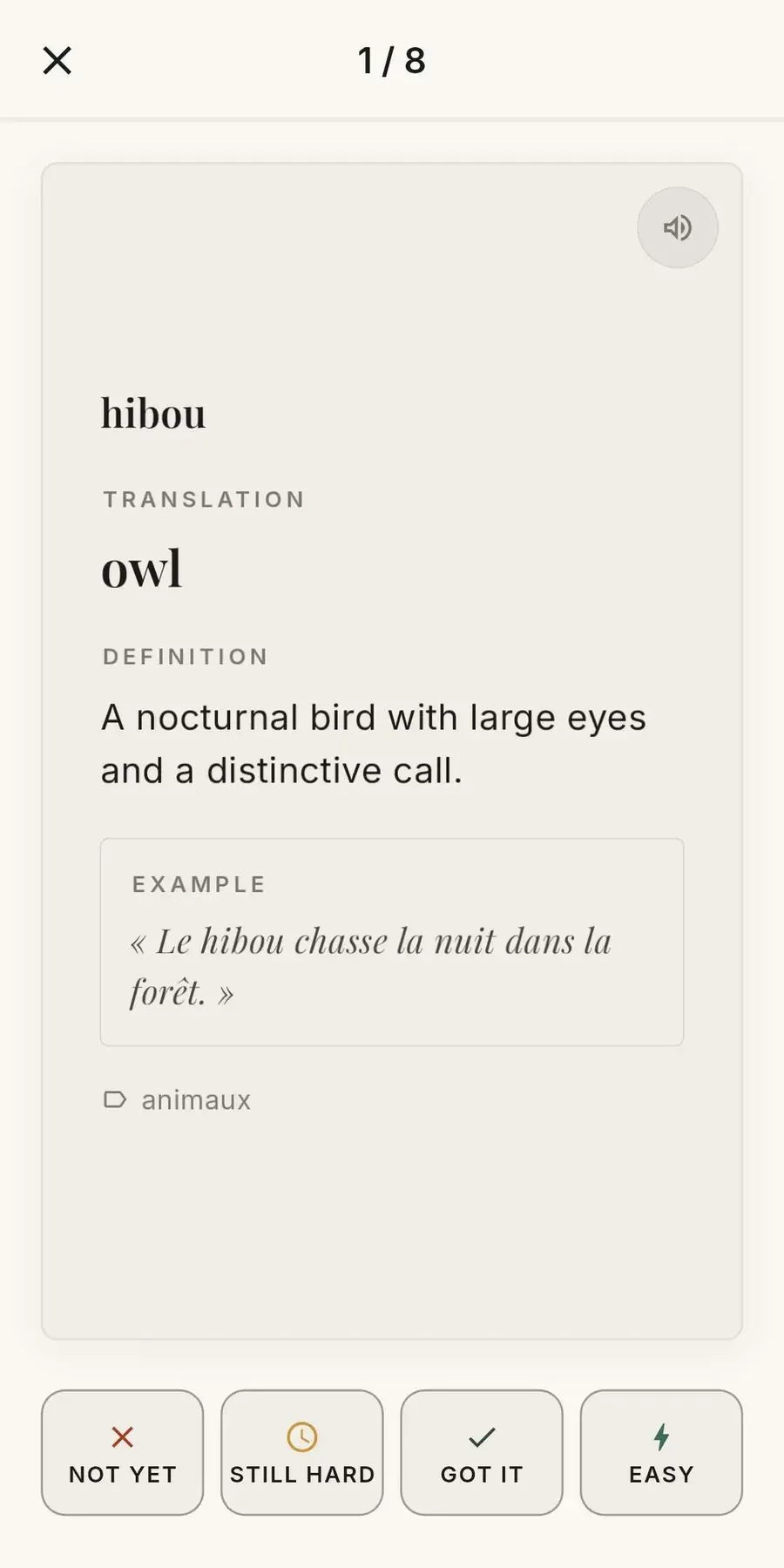
Every word comes with a French example sentence, not an isolated translation.
Learners see how a word is actually used, not just what it means.
-
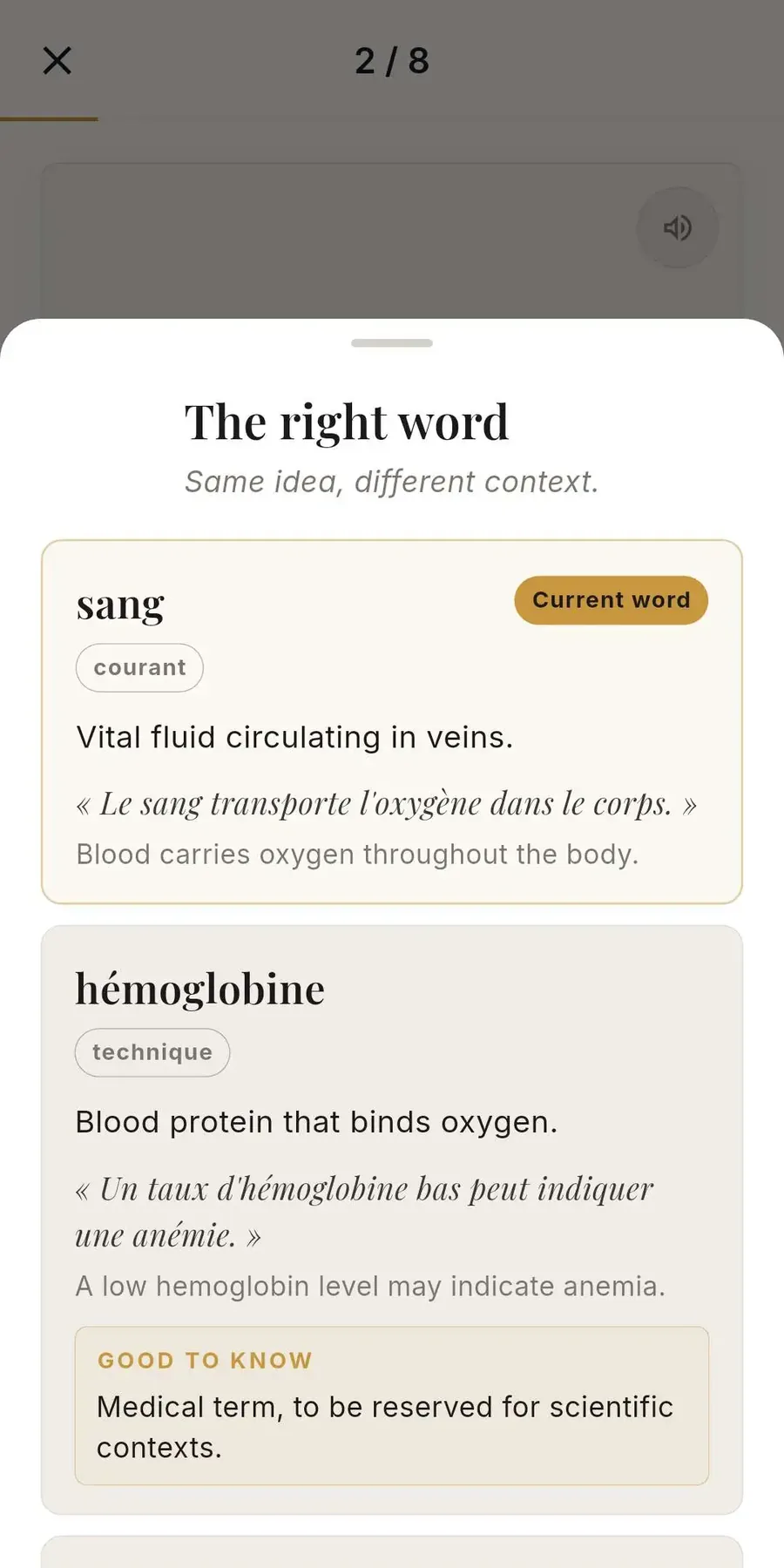
Nuance and register
Compare close words and understand when a word is formal, casual, or wrong for the moment.
Fewer awkward word choices in real conversation.
-
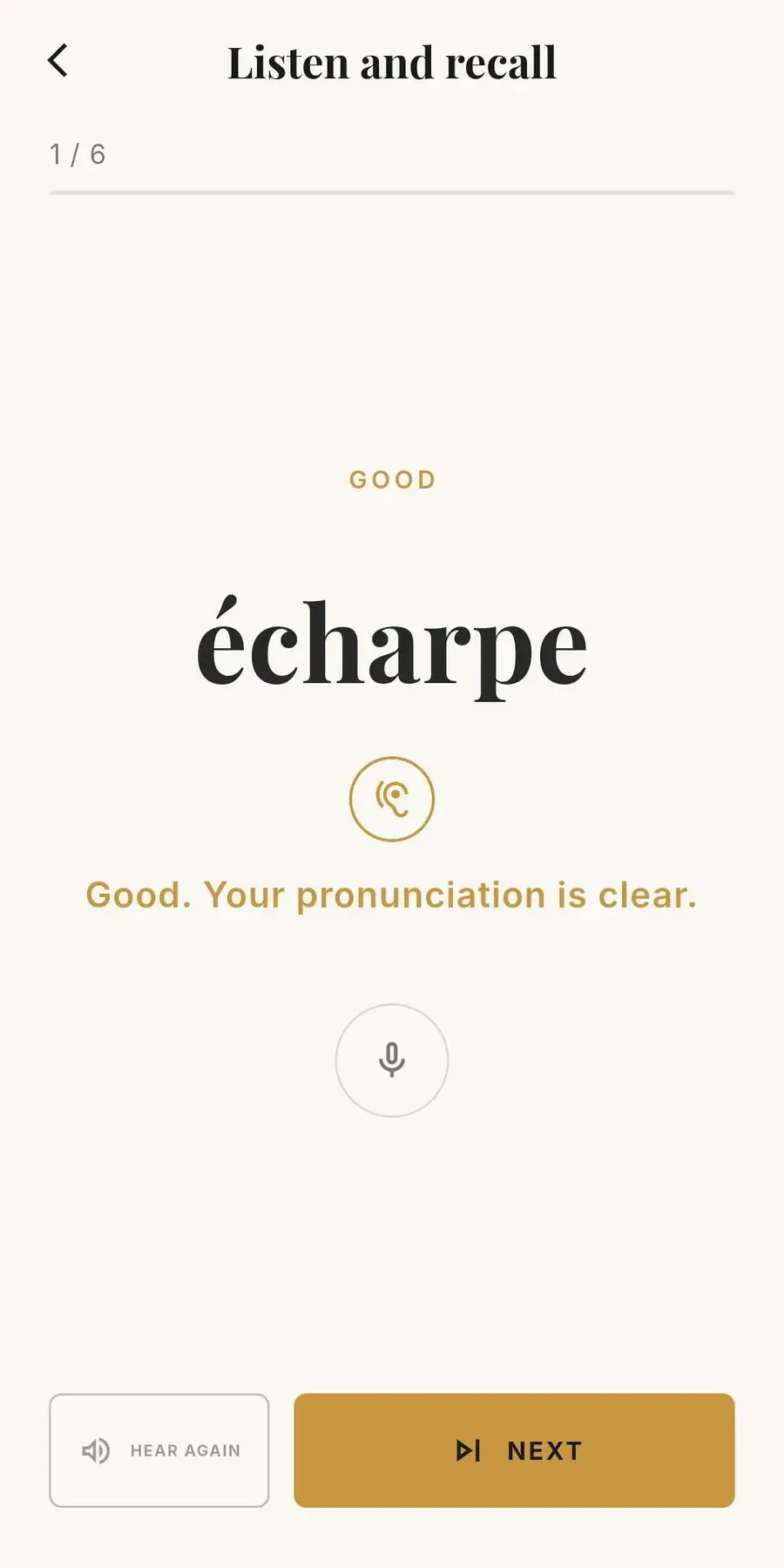
Shadowing
Learners repeat spoken French immediately after hearing it.
Independent pronunciation practice, without needing a partner.
-
Full LexiFr Premium access
Every learner gets the complete app - nothing held back for a "school" tier.
No separate purchase, no per-student payment to manage.
-
A1 to C2 vocabulary
A structured path from first words to advanced, literary usage.
Supports mixed-level classes without extra materials.
-
Spaced repetition
Words resurface right before they would otherwise be forgotten.
Learners retain what you assigned well beyond the next lesson.
-
Cached offline review
Learners can continue cached review cards after loading them while connected; progress syncs when they reconnect.
Practice can happen on the train, not just at a desk.
-
iOS and Android
Learners install LexiFr on their own phone.
No school-managed hardware or accounts required.
One product, three learner capacities.
Every plan includes the full LexiFr learner experience, the Schools dashboard, assignments, teacher-created vocabulary tools, and support for multiple classes. Plans differ mainly by how many learners you need.
A learner buying LexiFr Premium alone pays 7.99 € a month. On the School plan at 50 learners, a seat costs 2.98 €.
For tutors and small groups
Up to 10 learners
4.90 € per learner / month at full capacity
- Full LexiFr learner access for every seat
- Unlimited classes within your school
- Teacher-created vocabulary tools and assignments
You'll create or sign in to your LexiFr account before being redirected to secure Stripe Checkout.
For a full class or evening group
Up to 25 learners
3.56 € per learner / month at full capacity
- Full LexiFr learner access for every seat
- Unlimited classes within your school
- Teacher-created vocabulary tools and assignments
You'll create or sign in to your LexiFr account before being redirected to secure Stripe Checkout.
For programs with several classes
Up to 50 learners
2.98 € per learner / month at full capacity
- Full LexiFr learner access for every seat
- Unlimited classes within your school
- Teacher-created vocabulary tools and assignments
You'll create or sign in to your LexiFr account before being redirected to secure Stripe Checkout.
More than 50 learners?
Tell us about your program and we'll help you choose an appropriate setup.
Prices in EUR. VAT may apply depending on your country and billing setup.
The plans are the same product, sized differently.
Starter, Classroom, and School are not different service levels - every plan includes the same dashboard, the same learner app, and the same features. The only real difference is how many learners your organization can hold. Choose based on your group size today; you can talk to us about changing plans later.
-
The complete LexiFr app, per learner
A1 to C2, spaced repetition, Shadowing, and cached review - the same app adults buy for themselves.
-
The teacher dashboard
Build classes, invite learners, and run everything from the browser.
-
Assignments with a due date
A required deadline, a weekly target, ordering, and a cap on words - per assignment.
-
Targeting down to the student
Send an assignment to a class, several classes, or hand-picked learners.
-
Your own vocabulary
Add your words and expressions and assign them beside the built-in library.
-
Per-student and per-class progress
Started, completed, reviewed, mastered, attempts, accuracy, and last activity.
-
Unlimited classes and staff
As many classes and co-owners or teachers as you need - staff never use a learner seat.
-
Billing you control
View your plan and open the secure Stripe billing portal from your account page. To move to a different plan, contact us and we will switch it for you.
Better to know before you buy.
LexiFr Schools is a vocabulary practice tool with a teacher dashboard. It is not a school information system, and these are not on the page today:
- live classroom monitoring
- automatic grading
- LMS integration
- single sign-on
- downloadable progress reports
If any of these are essential for your program, contact us before purchasing.
Billing, support, and what happens to your data.
How your subscription works
Each LexiFr Schools organization has its own subscription. You can run as many classes as you like within the same organization, up to your plan's learner limit. If you run more than one school - for example, private tutoring alongside a class at an institution - each one is billed separately.
To change plan or stop renewal, contact us and we will handle it. Cancelling stops future renewal; your school stays fully active until the end of the period you have already paid for. Schools billed by card can also open the Stripe billing portal from the account page.
Help when you need it
Setting up your first classes takes a few minutes on your own. If you'd like help - planning your classes, importing a learner list, or anything else - LexiFr support is available by email at [email protected]. This is optional help, not a required step before you can start using your school.
Trust and privacy
- Available on iOS and Android - see the App Store and Google Play listings.
- Billing is handled securely through Stripe - LexiFr never sees your card details.
- No ads, no mascots, no streak guilt in the learner experience.
- Learner and class data is kept within your school's workspace, visible only to your school's staff.
- Read our Privacy Policy and Terms of Use.
Questions teachers ask.
Is there a free trial?
No. The 7-day trial you may have seen advertised belongs to LexiFr Premium, the individual app subscription - it is a different product. LexiFr Schools has no automatic free trial: every plan is a direct subscription. Planning a larger rollout? Contact us to discuss a pilot before committing to a wider deployment.
What happens after I choose a plan?
You'll create or sign in to your LexiFr account, confirm you're setting up a new school (each school has its own subscription), and complete payment through secure Stripe Checkout. Once payment is confirmed and billing is synchronized, you can enter your dashboard and invite learners.
Can I manage several classes?
Yes. One school organization can contain as many classes as you need. The learner limit applies across the whole organization, not per class.
Can I manage several schools?
Yes. You can own more than one LexiFr Schools organization - for example, a private tutoring practice and a separate class at an institution. Each organization has its own, separately billed subscription.
Do teachers or staff count as learner seats?
No. Only active students count toward your plan’s learner limit. Owners, co-owners, and teachers do not use a seat.
What happens when I reach my learner limit?
New invitations beyond your limit are blocked until a seat frees up (a learner leaves, or a pending invitation expires) or you move to a larger plan. Pending invitations count toward your limit, so seats are never oversold.
Can I cancel, or change plans?
Contact us to change plan or to stop renewal, and we will take care of it. Either way your school stays fully active until the end of the period you have already paid for. If your school is billed by card, your account page also opens the Stripe billing portal.
Do learners need their own account?
Yes. You invite each learner by email; they accept the invitation and sign in with their own LexiFr account (or create one) on their own phone.
Is LexiFr available on mobile?
Yes. Learners use the LexiFr app on iOS and Android. The teacher dashboard is used from a browser.
What happens above 50 learners?
Contact us. We’ll help you figure out the right setup for a larger program, multiple linked classes, or specific institutional requirements.
Does LexiFr replace a teacher?
No. LexiFr is built to reinforce vocabulary between lessons - it supports your teaching, it does not stand in for it.
Planning a larger deployment?
For more than 50 learners, multi-class programs, procurement questions, or a pilot before a wider rollout, tell us about your program and we'll reply within a few working days.
Give your students a better way to practise between lessons.
Choose a plan, create your school, and invite your first learners.